Building a mobile app is no longer simply about turning an idea into code. For startups, SMBs, and enterprises, a successful mobile application requires a clear business case, validated product strategy, thoughtful UX, the right technology architecture, secure development, reliable integrations, and a plan for continuous improvement.
Whether you are launching a new digital product, creating an MVP, improving customer experience, modernizing an existing business system, or developing an enterprise application, the decisions you make before development begins can have a major impact on cost, timeline, scalability, and long-term ROI.
This mobile app development guide explains the complete journey from validating an idea and defining requirements to selecting the right technology, designing the product, developing and testing the application, launching it, and scaling it after release.
More importantly, it explains the business and technical decisions behind each stage so you can determine what your app actually needs before investing in development.
Quick Takeaways
In short: A successful mobile app starts with a validated problem, not a feature list and treats security, architecture, and post-launch growth as part of the plan from day one, not afterthoughts.
A successful mobile app development project should:
- Start with a validated business problem rather than an untested idea.
- Define measurable business and product goals before development.
- Use discovery to establish requirements, features, architecture, integrations, budget, and roadmap.
- Decide whether an MVP, full product, modernization project, or enterprise solution is appropriate.
- Choose between native and cross-platform development based on product requirements — not popularity.
- Design the architecture around security, scalability, integrations, performance, and future growth.
- Treat security and compliance as part of development rather than a final checklist.
- Test the application across functionality, performance, security, devices, and real-world usage scenarios.
- Plan App Store and Google Play requirements before launch.
- Track product and business KPIs after launch.
- Treat the application as an evolving digital product rather than a one-time software project.
What Is Mobile App Development?
Mobile app development is the process of planning, designing, building, testing, deploying, and maintaining applications for mobile devices such as smartphones and tablets.
Depending on the product requirements, an application may be developed specifically for:
- iOS
- Android
- Both iOS and Android
- Enterprise-managed devices
- Cross-platform environments
- Connected devices and IoT ecosystems
Modern mobile applications often include much more than the mobile interface itself. A production application may also require:
- Backend services
- Databases
- APIs
- Authentication
- Payment systems
- Cloud infrastructure
- Analytics
- Push notifications
- Third-party integrations
- AI-powered capabilities
- Security controls
- Administrative dashboards
This is why mobile app development should be approached as a complete product and technology strategy not simply a coding project.
Why Businesses Invest in Mobile Apps
A mobile application can support different business objectives depending on the organization.
Improve Customer Experience
Apps can make it easier for customers to:
- Purchase products
- Book services
- Manage accounts
- Track orders
- Make payments
- Access support
- Communicate with a business
- Receive personalized information
A well-designed mobile experience can reduce friction and create a more direct relationship between a business and its customers.
Create New Revenue Channels
For digital products and marketplaces, the application may be the primary revenue-generating product.
Common models include:
- Subscriptions
- In-app purchases
- Transaction fees
- Advertising
- Premium features
- Direct product sales
- Service bookings
Improve Operational Efficiency
Mobile applications are not only for customer-facing experiences.
Businesses can use internal applications for:
- Field service management
- Employee communication
- Inventory management
- Sales operations
- Delivery tracking
- Workflow approvals
- Asset management
- Inspections
- Reporting
In many enterprise projects, the objective is not simply to generate downloads. It is to reduce operational costs, automate manual processes, and improve employee productivity.
Support Digital Transformation
For established organizations, mobile applications can become an important layer of a broader digital transformation strategy.
Instead of replacing every existing system, a mobile experience can connect users to existing:
- ERP systems
- CRM platforms
- Databases
- Business applications
- Payment systems
- Internal APIs
- Cloud services
Is a Mobile App Right for Your Business?
Not every business problem requires a mobile application.
Before development, consider whether an app provides a meaningful advantage over alternatives such as:
- A responsive website
- Progressive web application
- Existing SaaS platform
- Internal software
- No-code or low-code solution
- Custom web application
A mobile application becomes more compelling when you need capabilities such as:
- Frequent user engagement
- Push notifications
- Device features
- GPS and location services
- Camera access
- Bluetooth or IoT connectivity
- Offline functionality
- Mobile payments
- Personalized experiences
- Field-worker access
- Secure enterprise workflows
The objective should not be to build an app because competitors have one. The objective should be to determine whether a mobile product solves an important business or customer problem better than the alternatives.
Not sure which fits your case?
Step 1: Validate Your Mobile App Idea
The first stage of successful mobile app development happens before development begins. A technically impressive application can still fail if the underlying problem is not important enough for users to solve.
Identify the Problem
Start by answering:
What problem does the application solve?
- Who experiences this problem?
- How frequently does it occur
- What are users doing today
- Why are current solutions insufficient?
- What happens if the problem remains unsolved?
A strong product begins with a clear problem rather than a collection of features.
Understand Your Users
Research your target audience through:
- Interviews
- Surveys
- Existing customer data
- Reviews
- Support requests
- Search behavior
- Competitor research
- User observation
The objective is to understand what users actually need not what the business assumes they need.
Analyze Competitors
Study competing products to identify:
- Their core features
- Pricing
- User experience
- Strengths
- Weaknesses
- Customer complaints
- App Store reviews
- Missing functionality
Competitor research is most valuable when it reveals opportunities for differentiation.
Define Your Unique Value Proposition
Your value proposition should answer:
Why should users choose this product instead of an existing alternative?
If the answer is unclear, the product strategy may need additional validation before development.
Step 2: Define Business Goals and KPIs
Once the idea has been validated, define what success actually means.
Different applications require different success metrics.
Customer-Facing Apps
Possible KPIs include: downloads, registration rate, activation rate, conversion rate, retention, average order value, customer lifetime value, app engagement, and customer satisfaction.
Internal Business Applications
Possible KPIs include: time saved, process completion time, reduction in manual work, employee adoption, error reduction, operational cost reduction, and productivity improvement.
Revenue-Generating Apps
Possible KPIs include: revenue per user, subscription conversion, average transaction value, customer acquisition cost, lifetime value, churn, and recurring revenue.
Defining KPIs early prevents development teams from building features without a measurable business purpose.
Step 3: Discovery Before Mobile App Development
Discovery is the phase where a business idea is turned into a practical product and technical plan before any code is written.
A proper discovery process can establish: business requirements, user requirements, functional requirements, feature priorities, user journeys, UX direction, technical feasibility, application architecture, technology recommendations, integration requirements, security considerations, development roadmap, budget estimate, and timeline estimate.
What Happens During Discovery?
Business Analysis
The development team studies business objectives, existing processes, target customers, revenue model, operational requirements, and the competitive landscape.
Feature Definition
Every potential feature is evaluated based on business value, user value, complexity, dependencies, and development effort.
Technical Feasibility
The team determines which platforms are required, which APIs are needed, what backend services are required, what integrations must be supported, what data must be stored, what security requirements apply, and which technology approach makes sense.
Architecture Planning
The application architecture is defined before major development begins.
Estimation
The discovery output should provide a clearer understanding of scope, team requirements, development effort, timeline, budget, and risks.
This reduces uncertainty and helps prevent major scope changes later.
Need a structured discovery process? Explore Our Product Discovery Services.
Step 4: Define the Product Requirements
A clear product requirement document or equivalent product specification should describe what the application needs to accomplish.
It may include: user roles, user journeys, functional requirements, non-functional requirements, feature priorities, integrations, security requirements, platform requirements, performance expectations, and analytics requirements.
Functional vs. Non-Functional Requirements
Functional requirements describe what the application does for example, users can create accounts, customers can make payments, employees can submit reports, and users can track deliveries.
Non-functional requirements describe how the system should perform for example, fast response times, scalability, availability, security, accessibility, reliability, and maintainability.
Both are important for production-grade applications.
Step 5: Decide Whether You Need an MVP
A Minimum Viable Product (MVP) is a focused version of an app built with only the essential functionality needed to validate the product with real users.
An MVP is not simply an incomplete application. A good MVP should solve a real problem, provide meaningful value, test important assumptions, collect real user feedback, and establish measurable product data.
MVP vs. Full Product
| Choose an MVP when… | Choose a Full Product when… |
|---|---|
| The market is uncertain | Requirements are already validated |
| The business needs validation | Regulatory requirements demand broader functionality |
| Budget is limited | The app is replacing an existing system |
| Time-to-market matters | The business already has a strong customer base |
| The product needs user feedback before scaling | Enterprise integrations require significant upfront architecture |
The right approach depends on risk, business objectives, and product maturity.
Ready to build and launch an MVP? See Our MVP Development Services.
Step 6: Estimate Mobile App Development Cost
One of the first questions businesses ask is: how much does it cost to develop a mobile app?
There is no single price because application complexity varies significantly. A useful way to estimate cost is to consider the complete development scope.
Major Cost Factors
| Cost Factor | Why It Matters |
|---|---|
| Product complexity | A basic app with a few screens costs far less than a multi-role enterprise platform |
| Number of platforms | Supporting iOS and Android both increases initial scope vs. a single platform |
| UI/UX requirements | Custom interfaces, animations, and accessibility work increase design effort |
| Backend complexity | Real-time features, complex business logic, and high scalability need more engineering |
| Integrations | Payment gateways, CRM, ERP, maps, auth, and AI services each add development time |
| Security & compliance | Encryption, access controls, audit logging, and compliance testing add scope |
| Development model | Internal team, freelancers, agency, or dedicated team all carry different cost structures |
A Better Way to Think About Cost
Instead of asking only “What is the price of the app?” ask “What level of product, technology, security, scalability, and support does the business actually require?”
A professional estimate should be based on requirements rather than an arbitrary price per screen.
For a detailed breakdown of pricing, cost factors, and what businesses should budget for, see our guide to mobile app development cost.
Step 7: How Long Does It Take to Build a Mobile App?
Mobile app development timelines vary based on scope, number of platforms, number of user roles, UI/UX complexity, backend requirements, integrations, security requirements, testing requirements, team size, and product maturity.
A simple MVP may take significantly less time than a complex enterprise platform.
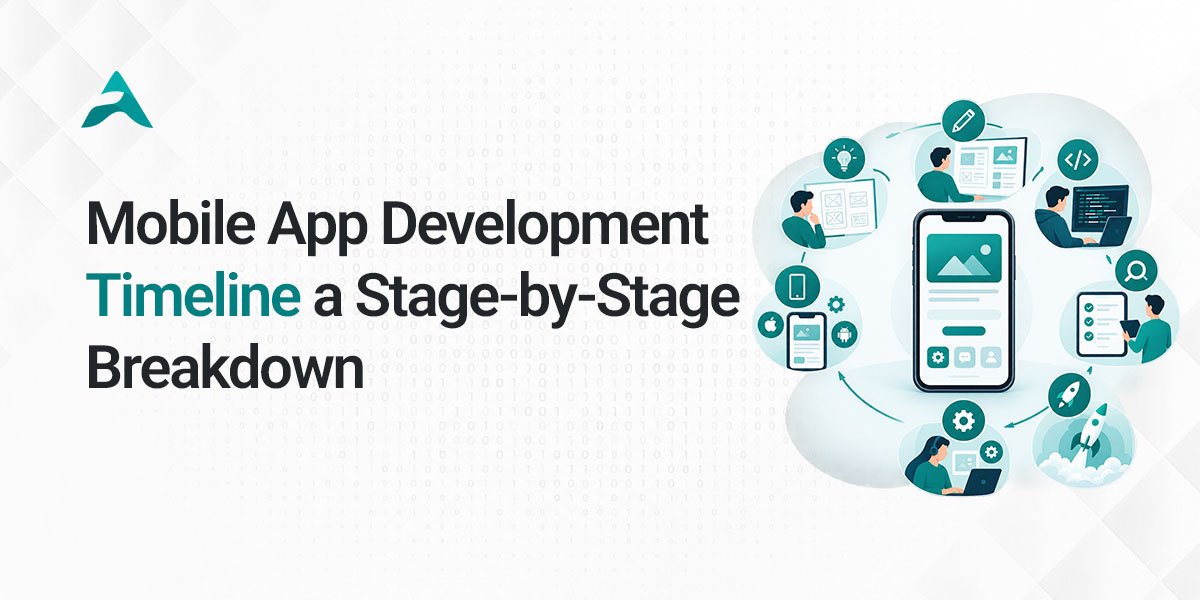
A typical project lifecycle includes:
- Discovery
- Product planning
- UI/UX design
- Architecture
- Development
- QA
- User acceptance testing
- Deployment
- Post-launch improvements
The important point is that development time should be estimated after the scope and technical requirements are understood.
Step 8: Choose iOS, Android, or Cross-Platform Development
The right technology depends on your product requirements not on which framework is trending.
| Approach | Best For |
|---|---|
| Native iOS (Swift/SwiftUI) | iOS-first markets, maximum platform performance, deep Apple ecosystem integration, advanced platform features |
| Native Android | Android-first markets, deep hardware/device integration, maximum platform control |
| Cross-Platform (Flutter, React Native) | Both platforms required, faster time-to-market, shared codebase efficiency, no highly platform-specific functionality needed |
How Should You Choose?
Consider product requirements, performance, platform features, development speed, team expertise, long-term maintenance, integration requirements, scalability, and budget.
The technology should serve the product — not the other way around.
Explore our platform-specific services: iOS App Development · Android App Development · Cross-Platform App Development
Step 9: Plan the Mobile App Architecture
Architecture determines how the different components of your application communicate and scale.
A typical modern application flows as follows:
Mobile Application → API / Service Layer → Business Logic → Database → Cloud Infrastructure → Third-Party Services
Depending on the application, additional components may include authentication services, notification systems, analytics, search, file storage, AI services, payment processing, monitoring, and administration systems.
Important Architecture Decisions
- Scalability Can the architecture support increasing users and transactions?
- Performance Can the application remain responsive under real-world conditions
- Security How are identity, data, APIs, and access protected?
- Availability What happens if a service fails?
- Offline capability Does the application need to work when connectivity is poor?
- Data synchronization How does the app sync local and server-side data?
Architecture decisions made early can prevent expensive rework later.
Need architecture guidance before development starts? App Architecture Consulting.
Step 10: Design the UI/UX
Good mobile UX is about more than attractive screens the interface should make it easy for users to accomplish their goals.
The UI/UX Process
- User flows Map how users move through the application.
- Wireframes Create structural layouts before investing heavily in visual design.
- Prototypes Allow stakeholders and users to experience important flows before development.
- Visual design Define typography, colors, components, icons, spacing, and interaction states.
- Usability testing Test whether users can complete important tasks without confusion.
Important considerations include accessibility, navigation, touch targets, loading states, error handling, empty states, responsive layouts, and performance perception.
Step 11: Develop the Frontend and Backend
Mobile app development usually involves several interconnected engineering layers.
Frontend development includes everything users interact with: screens, navigation, forms, animations, interactions, local data, and device functionality.
Backend development handles business logic, user authentication, data processing, database operations, API services, permissions, notifications, and integrations.
The database architecture should support data integrity, performance, security, backup, and scalability.
The mobile application, backend, database, APIs, and infrastructure should be planned as one connected system.
Step 12: Plan APIs and Third-Party Integrations
Most business applications depend on external systems. Common integrations include payment gateways, maps, CRM systems, ERP systems, social login, email, SMS, push notifications, analytics, cloud storage, AI services, accounting systems, and shipping platforms.
Integration requirements should be identified during discovery because they can affect architecture, security, timeline, cost, testing, and data flow.
For enterprise applications, integration with legacy systems can be one of the most important technical considerations.
Step 13: Build Security Into the Application
Security should not be treated as something added immediately before launch — it should be designed in from the architecture stage.
Authentication
Depending on the application: email/password, social authentication, multi-factor authentication, biometrics, or single sign-on.
Authorization
Role-based access controls determine what different users can see and perform.
Data Protection
Sensitive information should be protected through appropriate encryption, secure storage, transport security, and access controls.
API Security
APIs should be designed with appropriate authentication, authorization, validation, rate limiting, and monitoring.
Security Testing
Testing may include vulnerability assessment, penetration testing, authentication testing, API security testing, and data protection testing.
Compliance requirements should be identified during planning because they can influence architecture and development from the beginning.
Need a security-first build? Mobile App Security Services.
Step 14: Enterprise Mobile App Development
Enterprise mobile applications have different requirements from many consumer apps they often need to connect mobile users with existing business infrastructure.
Common Enterprise Requirements
- Legacy system integration: ERP, CRM, HR systems, databases, internal applications
- Enterprise identity: SSO, role-based access, MFA, directory integration
- Device management: MDM, MAM, controlled application distribution, remote security policies
- Compliance and governance: audit trails, data protection, access policies, security monitoring, documentation
- Scalability: architecture that supports business growth without a complete rebuild
Enterprise mobile development therefore requires more than building mobile screens it requires understanding the organization’s broader technology environment.
Building for a large organization? Enterprise Mobile App Development Services.
Step 15: Build vs. Buy vs. Modernize
Not every business should build a mobile application from scratch. There are usually three strategic options.
| Approach | Best When | Watch Out For |
|---|---|---|
| Buy (SaaS/commercial product) | Requirements are standard; speed matters; customization needs are limited | Vendor dependency, limited customization, licensing costs, integration constraints |
| Build (custom solution) | The workflow is unique; the product is a competitive advantage; deep integrations or full ownership are required | Higher upfront investment, longer timeline |
| Modernize (improve existing app) | The current app has business value but outdated technology, declining performance, or new capability needs | Technical debt discovery mid-project, migration complexity |
The right decision should consider total cost of ownership, business differentiation, scalability, technical debt, integration requirements, and long-term ownership.
Have an app that needs a rebuild or refresh? App Modernization Services.
Step 16: Test the Application
Quality assurance should happen throughout development not only at the end.
- Functional testing: verifies that features work as expected
- UI testing: checks layouts, navigation, interactions, and visual consistency
- Performance testing: evaluates loading speed, network behavior, resource usage, server response, and high-traffic scenarios
- Security testing: identifies potential vulnerabilities
- Compatibility testing: tests across devices, screen sizes, OS versions, and network conditions
- User acceptance testing: real users or stakeholders test important workflows before production release
Testing should reflect real-world usage rather than only ideal scenarios.
Step 17: Prepare for App Store and Google Play Launch
Publishing an application requires more than uploading the final build.
Before launch, prepare: app name, description, screenshots, app icon, privacy information, store categories, keywords where applicable, age rating, permissions, support information, and release configuration.
App Store and Google Play requirements should be considered early because unexpected compliance or metadata issues can delay launch.
Step 18: App Store Optimization
Building an excellent application does not automatically generate downloads.
App Store Optimization (ASO) can improve discoverability through app title, description, relevant keywords, screenshots, preview videos, ratings, reviews, and localization.
Your store listing should quickly communicate what the app does, who it is for, why it is useful, and what makes it different.
Step 19: Launch Strategy
A successful launch requires more than publishing the application.
Before launch: build awareness through landing pages, email campaigns, existing customers, social media, partnerships, and early-access programs.
At launch: coordinate store publication, marketing campaigns, PR, customer communication, and sales outreach.
After launch: continue improving user acquisition, activation, retention, reviews, engagement, and conversion.
A mobile application should be treated as a product launch not simply a software deployment.
Step 20: Measure Mobile App Success
After launch, analytics should connect product behavior to business outcomes.
- Acquisition metrics: downloads, acquisition cost, traffic sources, registration rate
- Activation metrics: onboarding completion, first meaningful action, account activation
- Engagement metrics: daily active users, monthly active users, session frequency, feature usage
- Retention metrics: Day 1 / Day 7 / Day 30 retention, churn
- Revenue metrics: conversion rate, average revenue per user, customer lifetime value, subscription revenue
- Technical metrics: crash-free sessions, app performance, API response time, error rates
The most important KPI is ultimately the one connected to the original business objective.
Step 21: Post-Launch Maintenance and Growth
Launching an app is the beginning of its product lifecycle, not the end.
- Performance monitoring: crashes, errors, API performance, server performance, user experience
- User feedback: reviews, surveys, support requests, analytics, user interviews
- Security updates: keep dependencies, infrastructure, authentication, and security controls updated
- Feature development: prioritize based on user demand, business impact, analytics, and market changes
- Scalability: infrastructure and architecture may need to evolve as adoption increases
The best mobile applications improve continuously after launch.
Already launched and need ongoing support? App Maintenance & Support Services.
How AI Is Changing Mobile App Development in 2026
Artificial intelligence is influencing both the applications businesses build and how development teams create them.
AI Inside Mobile Applications
Businesses can use AI for intelligent search, virtual assistants, personalized recommendations, predictive analytics, automated customer support, document processing, natural-language interfaces, content personalization, fraud detection, and workflow automation.
AI-Assisted Development
Development teams can also use AI to assist with code generation, prototyping, test generation, debugging, documentation, and development workflows.
However, AI does not eliminate the need for product strategy, architecture, security, testing, or engineering oversight. Production applications still require human validation of security, business logic, data handling, architecture, performance, reliability, and compliance.
The strongest approach is to use AI where it creates measurable value while maintaining engineering discipline around the final product.
Common Mobile App Development Mistakes
- Building before validating: a technically successful application can still fail if users do not need it.
- Trying to build everything at once: too many features increase cost, complexity, and time-to-market.
- Choosing technology too early: the framework should follow product requirements, not determine them.
- Ignoring backend architecture: a polished interface cannot compensate for a weak backend.
- Treating security as an afterthought: security requirements affect architecture, development, testing, and cost.
- Underestimating integrations: third-party and legacy integrations can become significant project dependencies.
- Skipping real user testing: internal teams may understand the product too well to spot usability problems.
- Focusing only on downloads: downloads do not necessarily represent business success.
- Ignoring post-launch development: a mobile app requires ongoing maintenance and improvement.
- Selecting a partner based only on price: the lowest initial quote may not represent the lowest total cost.
How to Choose a Mobile App Development Company
Choosing the right development partner can significantly influence project outcomes. Before hiring a company, evaluate:
- Relevant experience: with applications similar to your requirements
- Technical capability: across mobile development, backend engineering, APIs, cloud, databases, security, QA, and DevOps
- Product discovery process: the ability to turn business requirements into a practical roadmap
- Portfolio and case studies: look beyond screenshots; ask what problem was solved, what technologies were used, and what happened after launch
- Ownership and IP: clarify source-code ownership, repository access, IP rights, third-party licensing, documentation, and deployment ownership
- Communication: channels, reporting, sprint structure, project management, stakeholder involvement
- Post-launch support: how bugs, security updates, OS changes, performance, and scaling are handled
Questions to Ask Before Hiring an App Development Company
- Have you built applications similar to ours?
- How do you handle discovery and requirements?
- Who will work on our project
- What technology stack do you recommend and why?
- How will you design the architecture?
- How will integrations be handled?
- What is your QA process?
- How do you approach security?
- How will project progress be reported?
- Who owns the source code
- How is intellectual property handled?
- What happens after launch
- How are changes in scope managed?
- What factors could affect the timeline?
- What factors could affect the final cost?
A strong development partner should be comfortable answering these questions before development begins.
Mobile App Development Checklist
Before Development
- Define the business problem
- Identify target users
- Validate the idea
- Research competitors
- Define the value proposition
- Establish business KPIs
- Define product requirements
- Prioritize features
- Decide whether an MVP is appropriate
- Select target platforms
- Identify integrations
- Define security requirements
- Plan architecture
- Estimate budget
- Estimate timeline
During Development
- Complete UI/UX design
- Build frontend
- Build backend
- Develop APIs
- Configure database
- Implement authentication
- Implement security controls
- Integrate third-party services
- Configure analytics
- Perform QA
- Conduct performance testing
- Conduct security testing
- Complete user acceptance testing
Before Launch
- Prepare App Store listing
- Prepare Google Play listing
- Complete privacy requirements
- Finalize screenshots and assets
- Complete production testing
- Configure analytics
- Prepare launch campaign
- Establish monitoring
- Prepare support process
After Launch
- Monitor crashes
- Monitor performance
- Analyze user behavior
- Collect feedback
- Fix issues
- Release updates
- Apply security patches
- Optimize conversion
- Improve retention
- Scale infrastructure
- Update the product roadmap
Final Thoughts
Successful mobile app development is not about building the largest number of features or choosing the newest technology.
It is about making the right decisions at every stage:
Business Problem → Validation → Discovery → Product Strategy → UX → Architecture → Development → Testing → Launch → Measurement → Continuous Improvement
The strongest applications are built around a clear business objective, a validated user need, a scalable technical foundation, and a product roadmap that continues beyond launch.
Whether you are building an MVP, launching a customer-facing application, modernizing an existing product, or creating an enterprise mobile solution, the development approach should be tailored to your business — not forced into a one-size-fits-all process.
Planning a Mobile App?
Agile Stormers helps startups, growing businesses, and enterprises turn mobile product ideas into scalable digital solutions from product strategy and UI/UX to mobile development, backend engineering, integrations, testing, deployment, and ongoing support.
→ Book a Free App Discovery Call
Get a scoped estimate and technical recommendation in one session no obligation.
→ See Our App Development Services
Review our full mobile app development capabilities, from MVP to enterprise.
View Our Portfolio & Case Studies
See real projects across MVP, enterprise, and modernization work.
Frequently Asked Questions About AI-Powered Mobile Apps in Houston
How much does it cost to develop a mobile app?
Mobile app development cost depends on application complexity, number of platforms, UI/UX requirements, backend architecture, integrations, security needs, the development team structure, and post-launch requirements. A reliable estimate should be prepared only after requirements and scope are understood not from a flat per-screen price. but it will start from $10000 and no limits
How long does mobile app development take?
Timelines vary by project. MVPs generally take less time than complex enterprise applications. A full estimate should account for discovery, design, development, testing, deployment, and post-launch preparation not development time alone.
Should I build an iOS or Android app first?
The decision depends on your target users, market, business model, device usage, and product requirements. If both platforms matter equally, cross-platform development is worth considering to reduce duplicated effort.
Can an existing application be modernized instead of rebuilt?
Yes. Depending on the condition of the existing application, modernization can involve updating the technology stack, improving architecture, redesigning the experience, replacing outdated components, or gradually migrating functionality often at lower cost and risk than a full rebuild.
Should I build an MVP?
An MVP is a good approach when a business needs to validate a product idea before making a larger investment, and is particularly useful when market assumptions are still uncertain.
Do mobile apps need backend development?
Most modern business applications do. Backend services typically handle authentication, business logic, databases, APIs, payments, notifications, integrations, and data processing.
How do you make my mobile app secure?
Mobile app security should be considered throughout development, not only before launch. Core areas include authentication, authorization, encryption, secure API design, data protection, vulnerability testing, monitoring, and relevant compliance requirements.