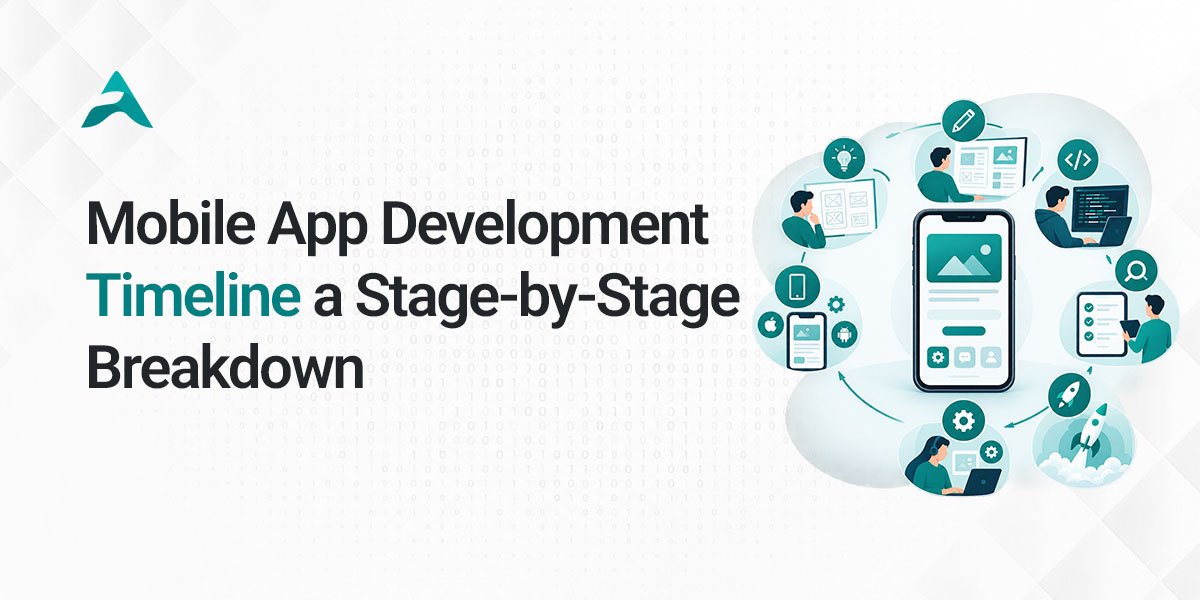
A typical mobile app development timeline can range from 6–12 weeks for a focused MVP to 6–12+ months for complex enterprise applications. The actual timeframe depends on the app’s features, UI/UX complexity, platforms, backend requirements, integrations, security needs, testing, and development approach.
Understanding each stage before development begins can help businesses set realistic expectations, prioritize features, and avoid unnecessary delays.
This guide breaks down the mobile app development process stage by stage, explains how long each phase typically takes, and highlights the factors that can speed up or extend the project timeline.
Mobile App Development Timeline at a Glance
A typical mobile application moves through several stages before reaching production:
Discovery & Planning → UI/UX Design → Technical Architecture → Development → Integration → Testing → Deployment → Post-Launch Support
| Development Stage | Typical Timeline |
|---|---|
| Discovery & Planning | 1–2 weeks |
| UI/UX Design | 2–4 weeks |
| Technical Architecture | 1–2 weeks |
| Mobile App Development | 4–12+ weeks |
| Backend & API Integration | 2–8+ weeks |
| Testing & Quality Assurance | 2–4 weeks |
| App Store Preparation & Launch | 1–2 weeks |
| Post-Launch Support | Ongoing |
These stages are not always completed sequentially. Development, backend work, testing, and design refinement may overlap, so the total project timeline is usually shorter than simply adding every phase together.
How Long Does It Take to Develop a Mobile App?
The time required to develop a mobile app depends primarily on its complexity and scope.
| App Type | Typical Timeline | Typical Scope |
|---|---|---|
| Simple App | 4–8 weeks | Limited features and straightforward workflows |
| MVP | 6–12 weeks | Core features needed to validate the product |
| Mid-Complexity App | 10–20 weeks | Multiple workflows, backend services, and integrations |
| Complex App | 4–7+ months | Advanced functionality, real-time features, or sophisticated backend |
| Enterprise App | 6–12+ months | Large-scale systems, security, integrations, and scalability requirements |
These ranges are planning estimates rather than fixed guarantees. A project can take longer when requirements change, integrations are complex, approvals are delayed, or additional features are introduced during development.
Stage 1: Discovery and App Planning 1–2 Weeks
The first stage establishes what the application needs to accomplish and how the product should be structured.
Before writing code, the development team works with stakeholders to understand the business objectives, target users, core workflows, technical requirements, and desired outcomes.
What Happens During Discovery?
The discovery phase may include:
- Business and product objectives
- Target audience analysis
- User problems and use cases
- Feature identification
- MVP definition
- User roles and workflows
- Platform requirements
- Technical requirements
- Third-party integrations
- Security considerations
- Initial project roadmap
The goal is to determine what should be built before deciding exactly how it should be built.
Why Does Discovery Affect the Timeline?
Unclear requirements can create significant delays later. For example, adding a major workflow after development has started can affect UI/UX, backend architecture, APIs, testing, and deployment.
A well-defined discovery phase helps reduce this risk by establishing priorities early
Stage 2: UI/UX Design 2–4 Weeks
Once the product requirements are defined, the next stage focuses on the user experience and interface.
UI/UX design determines how users navigate the application, interact with features, and complete important tasks.
The Typical UI/UX Process
This stage can include:
- Information architecture
- User flows
- Wireframes
- Interactive prototypes
- Visual design
- Responsive considerations
- Design system development
- Design review and revisions
For a relatively simple MVP, design may take only a few weeks. Applications with many user roles, complex workflows, or highly customized interfaces may require considerably more time.
What Can Extend the Design Timeline?
Common factors include:
- Large numbers of screens
- Multiple user roles
- Complex navigation
- Custom interactions
- Multiple design revisions
- Localization
- Accessibility requirements
- Delayed stakeholder feedback
Finalizing the core user experience before development can reduce costly design changes later.
Stage 3: Technical Architecture and Technology Planning 1–2 Weeks
Technical architecture defines how the application will work behind the interface.
This stage is particularly important for products that need to support large numbers of users, real-time functionality, complex integrations, or future expansion.
Architecture Planning May Cover:
- Mobile application architecture
- Backend architecture
- Database structure
- API architecture
- Authentication
- Cloud infrastructure
- Data storage
- Security
- Third-party services
- Analytics
- Push notifications
- AI services, where required
Technology selection should be based on the product’s actual requirements rather than choosing a framework simply because it is popular.
- For example, a cross-platform approach may be appropriate when a business needs both iOS and Android applications and the requirements are well suited to a shared codebase. A native approach may make more sense when platform-specific capabilities or performance requirements are central to the product.
Stage 4: Mobile App Development 4–12+ Weeks
Development is usually the largest part of the mobile app development timeline.
During this phase, the approved designs and technical architecture are turned into a functional application.
Development time depends heavily on the number and complexity of features.
Frontend Development
The mobile development team implements:
- Screens
- Navigation
- User interactions
- Forms
- Authentication flows
- Notifications
- Device functionality
- Business workflows
- Animations and interactions
Backend Development
Depending on the product, backend development may include:
- APIs
- Databases
- User management
- Authentication
- Business logic
- Admin functionality
- Data processing
- Cloud infrastructure
- Security controls
Third-Party Integrations
Many modern applications depend on external services such as:
- Payment gateways
- Maps
- Communication platforms
- Analytics
- Authentication providers
- CRM systems
- ERP systems
- Shipping platforms
- AI APIs
Each integration can add development, testing, and troubleshooting requirements.
Stage 5: Backend and API Integration 2–8+ Weeks
Backend development can happen alongside mobile application development rather than after it.
The timeline depends on how much server-side functionality the product requires.
A basic application may need only a relatively simple backend, while a marketplace, healthcare platform, logistics system, financial application, or enterprise product may require significantly more infrastructure.
Backend Complexity Can Increase With:
- Multiple user roles
- Real-time communication
- Real-time tracking
- Complex business rules
- Payment processing
- Large datasets
- Multiple external APIs
- Advanced authentication
- Reporting systems
- Enterprise integrations
- AI processing
The more systems the application needs to communicate with, the more time should be allocated for integration and testing.
Stage 6: Testing and Quality Assurance 2–4 Weeks
Testing ensures that the application works correctly across supported devices, operating systems, workflows, and network conditions.
Quality assurance should not be treated as a single activity performed only immediately before launch. Testing throughout development can identify problems earlier and reduce expensive rework.
Common Types of Mobile App Testing
- Functional testing
- UI testing
- Device testing
- Compatibility testing
- API testing
- Performance testing
- Security testing
- Regression testing
- Usability testing
- User acceptance testing
Testing time increases when the application supports many devices, operating-system versions, user roles, integrations, or complex workflows.
Stage 7: App Store Preparation and Launch 1–2 Weeks
After development and testing are complete, the application needs to be prepared for production release.
This may include:
- Production builds
- App Store assets
- Google Play assets
- App descriptions
- Screenshots
- Privacy information
- Production configuration
- Final QA
- Release configuration
- Monitoring setup
App-store review and approval times can vary, so they should be treated as an external dependency rather than a guaranteed fixed-duration step.
Stage 8: Post-Launch Support and Optimization
Launching the application is not the end of the development lifecycle.
After release, teams typically monitor application performance, user behavior, crashes, feedback, and technical issues.
Post-Launch Activities Can Include:
- Bug fixes
- Performance optimization
- Security updates
- OS compatibility updates
- Analytics review
- User feedback analysis
- Feature improvements
- Infrastructure optimization
- New feature development
Continuous
improvement is especially important for applications that depend on changing operating systems, third-party APIs, or evolving business requirements.
Mobile App Development Timeline by Complexity
One of the easiest ways to estimate a project timeline is to classify the application by complexity.
Simple Mobile Apps
Typical timeline: 4–8 weeks
Simple applications generally have:
- Limited screens
- Straightforward workflows
- Minimal backend requirements
- Few integrations
- Basic authentication
- Limited user roles
These projects can often be developed relatively quickly because there are fewer dependencies and technical variables.
MVP Applications
Typical timeline: 6–12 weeks
An MVP focuses on the smallest set of features needed to validate a product concept or launch an initial version.
An MVP might include:
- User registration
- Core application workflow
- Basic profile management
- Essential backend functionality
- Basic notifications
- Analytics
- Initial administrative functionality
The objective is not to build every possible feature. It is to build enough of the product to deliver the intended core experience and generate meaningful feedback.
Mid-Complexity Applications
Typical timeline: 10–20 weeks
These applications may include:
- Multiple user roles
- Advanced UI/UX
- Backend systems
- Payment functionality
- APIs
- Location services
- Notifications
- Reporting
- Multiple workflows
Marketplace, booking, logistics, business, and customer-facing applications can fall into this category depending on their scope.
Complex Applications
Typical timeline: 4–7+ months
Complex applications may involve:
- Real-time functionality
- Advanced backend systems
- Multiple integrations
- AI capabilities
- Advanced security
- Large datasets
- Sophisticated workflows
- Multiple user types
The more interconnected the system becomes, the more time is generally needed for architecture, development, integration, and testing.
Enterprise Applications
Typical timeline: 6–12+ months
Enterprise applications often require:
- Complex business logic
- Multiple systems and integrations
- Advanced security
- Role-based access
- Enterprise authentication
- Scalability
- Extensive testing
- Compliance requirements
- Data migration
- Internal stakeholder approvals
Enterprise timelines are particularly difficult to estimate using a simple feature count because organizational processes and external dependencies can have a significant impact.
What Factors Affect the Mobile App Development Timeline?
Two applications with similar screen counts can have very different development timelines.
The following factors can significantly affect how long a project takes.
1. Number and Complexity of Features
A basic login screen is relatively straightforward. A workflow involving payments, real-time tracking, messaging, location services, and multiple APIs requires much more engineering and testing.
2. Number of Platforms
Developing for a single platform and developing for both iOS and Android can involve different levels of effort depending on the chosen technology and product requirements.
3. UI/UX Complexity
Highly customized interfaces, animations, advanced interactions, and complex user journeys can increase design and implementation time.
4. Backend Requirements
An application that relies heavily on backend processing, databases, APIs, real-time data, or complex business rules will generally require more development effort.
5. Third-Party Integrations
Each external integration introduces additional development and testing requirements.
6. Security Requirements
Applications handling sensitive business or financial data may require additional authentication, authorization, encryption, monitoring, and security testing.
7. AI Functionality
AI features can range from relatively straightforward API integrations to complex systems requiring custom data processing, evaluation, model orchestration, and infrastructure.
8. Scope Changes
Frequent changes during development are one of the most common causes of timeline expansion.
A feature added late in development may affect previously completed design, development, backend work, and testing.
9. Feedback and Approval Cycles
Development teams can move faster when requirements and decisions are clearly communicated.
Delayed approvals can create idle time and push dependent tasks further into the schedule.
Native vs. Cross-Platform: Which Is Faster?
The choice between native and cross-platform development can influence the overall timeline, particularly when both iOS and Android applications are required.
| Approach | Timeline Consideration | Best Fit |
|---|---|---|
| Native iOS | Platform-specific development | iOS-focused or platform-specific products |
| Native Android | Platform-specific development | Android-focused or platform-specific products |
| Cross-Platform | Shared code can reduce duplicated implementation | Many products targeting both platforms |
Cross-platform development can reduce duplicated implementation when the application requirements are suitable for a shared codebase.
However, there is no universal rule that one approach will always be faster. The right choice depends on the application’s functionality, performance requirements, integrations, platform-specific capabilities, and long-term product strategy.
How AI Features Affect the Mobile App Development Timeline
AI has become an increasingly common part of modern mobile products, but “AI functionality” can mean very different things.
A simple integration with an existing AI API may require considerably less development effort than building a custom AI-powered system.
Examples of AI Features Include:
- AI chat assistants
- Personalized recommendations
- AI-powered search
- Document processing
- Speech recognition
- Computer vision
- Predictive analytics
- Intelligent automation
- Generative AI
- AI agents
For example, integrating an existing large language model through an API may involve API integration, prompt design, user-interface development, security, testing, and monitoring.
A custom AI system may require additional work involving data pipelines, model selection, evaluation, infrastructure, and ongoing optimization.
Therefore, AI should be treated as a scope-specific development requirement, not as a fixed number of additional weeks.
10 Common Reasons Mobile App Development Takes Longer
Even a well-planned project can encounter delays.
Here are some of the most common causes:
- Unclear requirements The team discovers important requirements after development begins.
- Scope expansion New features are continuously added.
- Complex integrations External systems require unexpected development work.
- Design revisions Major interface changes happen after development has started.
- Backend complexity Business logic is more complicated than initially estimated.
- Third-party dependencies External APIs or services introduce limitations.
- Security requirements Additional security work becomes necessary.
- Extensive device testing The application requires broader compatibility testing.
- App-store issues Submission requirements or review feedback require changes.
- Delayed approvals Business decisions or stakeholder feedback take longer than expected.
The key lesson is that timeline management is not simply about writing code faster. It is about controlling scope, dependencies, decisions, and quality throughout the project.
How to Reduce Mobile App Development Time
Businesses can often improve development efficiency without sacrificing quality.
- Define the MVP Clearly Prioritize the features necessary for the initial launch instead of trying to build the entire product at once.
- Finalize Core User Flows Early Clear user journeys reduce redesign and rework.
- Choose Technology Based on Requirements The fastest technology is not necessarily the best technology. Select an approach that fits the product’s technical and business requirements.
- Plan Integrations Early Identify external APIs, payment systems, maps, authentication providers, and other dependencies during discovery.
- Test Throughout Development Continuous testing can identify issues before they become deeply embedded in the product.
- Establish a Clear Approval Process Assign decision-makers and define how quickly design and product decisions should be reviewed.
- Control Scope Changes New ideas can be placed into a future release instead of continuously changing the current development scope.
What Does a Realistic Mobile App Development Timeline Look Like?
For a standard business application, the development journey might look like this
| Phase | Example Duration |
|---|---|
| Discovery & Planning | 1–2 weeks |
| UI/UX Design | 2–4 weeks |
| Technical Planning | 1–2 weeks |
| Development | 4–12 weeks |
| Backend & Integrations | 2–8+ weeks |
| QA & Testing | 2–4 weeks |
| Deployment | 1–2 weeks |
| Post-Launch | Ongoing |
Because many activities overlap, the total project timeline does not necessarily equal the sum of each phase.
For example, backend development can begin while UI screens are being finalized, while QA can begin testing completed features before the entire application is finished.
This parallel workflow can significantly improve project efficiency.
How to Choose a Mobile App Development Partner
If your business is planning a mobile application, the development partner can have a significant impact on both timeline and product quality.
Before choosing a development company, evaluate:
- Relevant portfolio
- Technical expertise
- UI/UX capabilities
- Product discovery process
- Mobile development experience
- Backend engineering capabilities
- API integration experience
- QA and testing processes
- Security practices
- Communication process
- Post-launch support
- Scalability experience
- Source-code ownership and project access
A reliable partner should be able to explain why a project requires a particular timeline rather than simply promising an unrealistically short delivery date.
Building a Mobile App With Agile Stormers
Agile Stormers helps startups, growing businesses, and enterprises plan and build custom mobile applications based on their product requirements.
Our mobile app development capabilities can cover the full product lifecycle, including:
- Product discovery and planning
- UI/UX design
- iOS app development
- Android app development
- Cross-platform development
- Backend development
- API and third-party integrations
- AI-powered functionality
- Quality assurance
- Deployment
- Post-launch improvements
The development timeline is determined based on the actual scope, technical requirements, platforms, integrations, and desired product outcomes rather than applying a one-size-fits-all estimate.
Explore Mobile App Development Services
If you’re still defining your product, you can also explore our Mobile App Development Guide: From Idea to Successful Launch for a broader look at the journey from an initial idea through development and launch.
Frequently Asked Questions About Mobile App Development Timelines
How long does it take to develop a mobile app?
A mobile app can take approximately 4–8 weeks for a simple application, 6–12 weeks for a focused MVP, 10–20 weeks for a mid-complexity product, and several months for complex or enterprise applications. The actual timeline depends on features, platforms, backend requirements, integrations, testing, and scope.
How long does it take to build an MVP app?
A focused mobile app MVP can often take around 6–12 weeks when the scope is clearly defined. The timeline can increase when the MVP includes complex integrations, advanced backend functionality, real-time features, AI, or extensive security requirements.
Can a mobile app be developed in 4 weeks?
A simple mobile application or prototype may be possible within four weeks if the scope is tightly controlled and requirements are straightforward. A production-ready application with complex workflows, backend services, integrations, and extensive testing generally requires more time.
Does Flutter reduce mobile app development time?
Flutter can reduce duplicated development work when an application is well suited to a shared cross-platform codebase. However, the overall project timeline still depends on the product’s features, backend, integrations, design, testing, and platform-specific requirements.
How long does an AI-powered mobile app take to build?
The timeline depends on the type of AI functionality. Integrating an existing AI API can be relatively straightforward, while custom AI systems involving data pipelines, model evaluation, complex processing, or specialized infrastructure can require substantially more development time.
How long does mobile app testing take?
Testing can take around 2–4 weeks for a typical application, although the timeframe varies based on the number of platforms, devices, features, integrations, security requirements, and overall application complexity. Testing should also take place throughout development rather than only immediately before launch.
What is the biggest factor that delays mobile app development?
Uncontrolled scope changes are one of the most common causes of timeline expansion. Adding new features after design or development has started can affect the interface, backend, architecture, testing, and deployment schedule.